Know what work is coming next.
Keep the people and companies you work with in one place, move every deal from first call to signed, and see what the pipeline is worth. Built for studios, not sales floors.
How it works
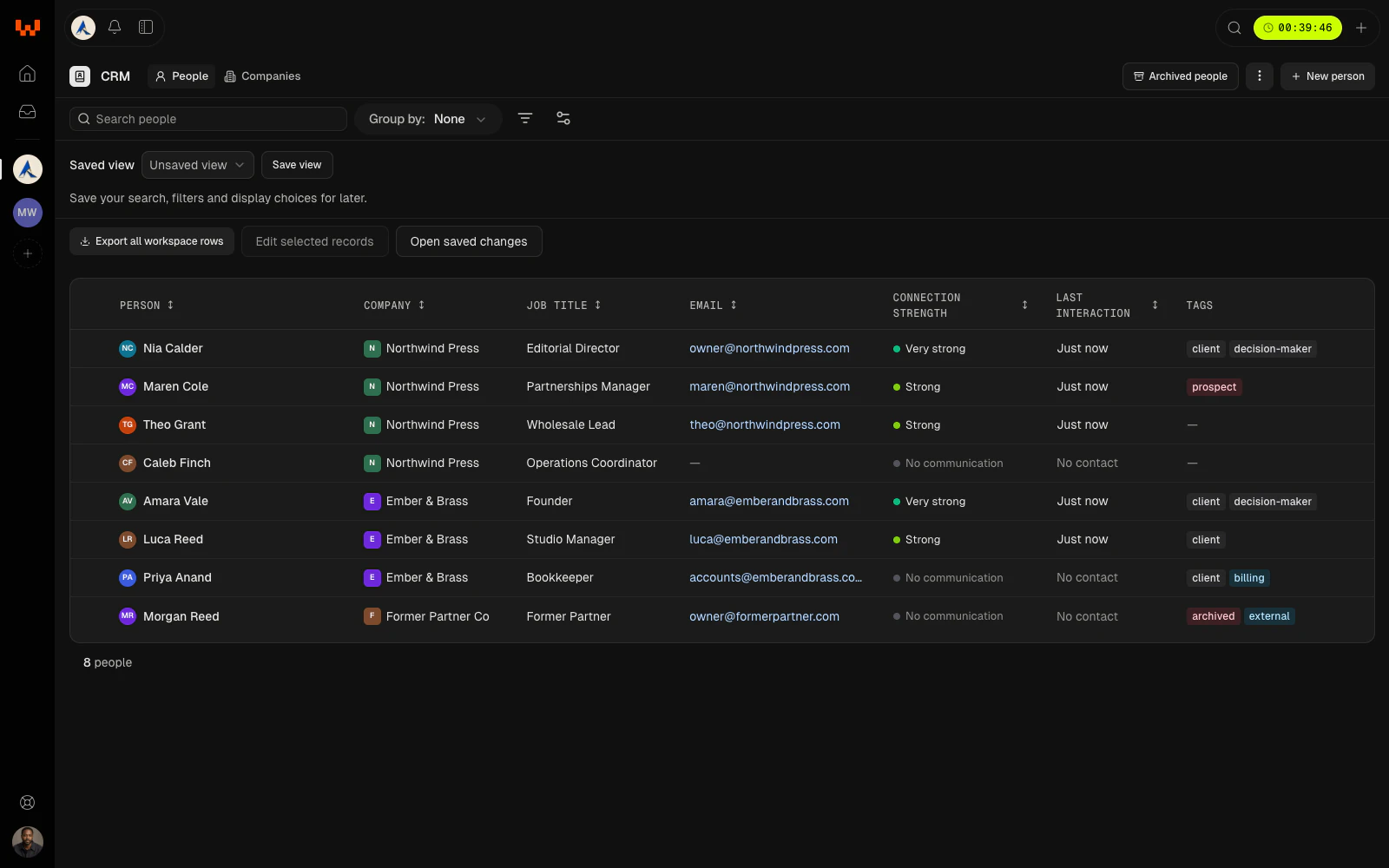
Keep. Everyone you work with, in one place.
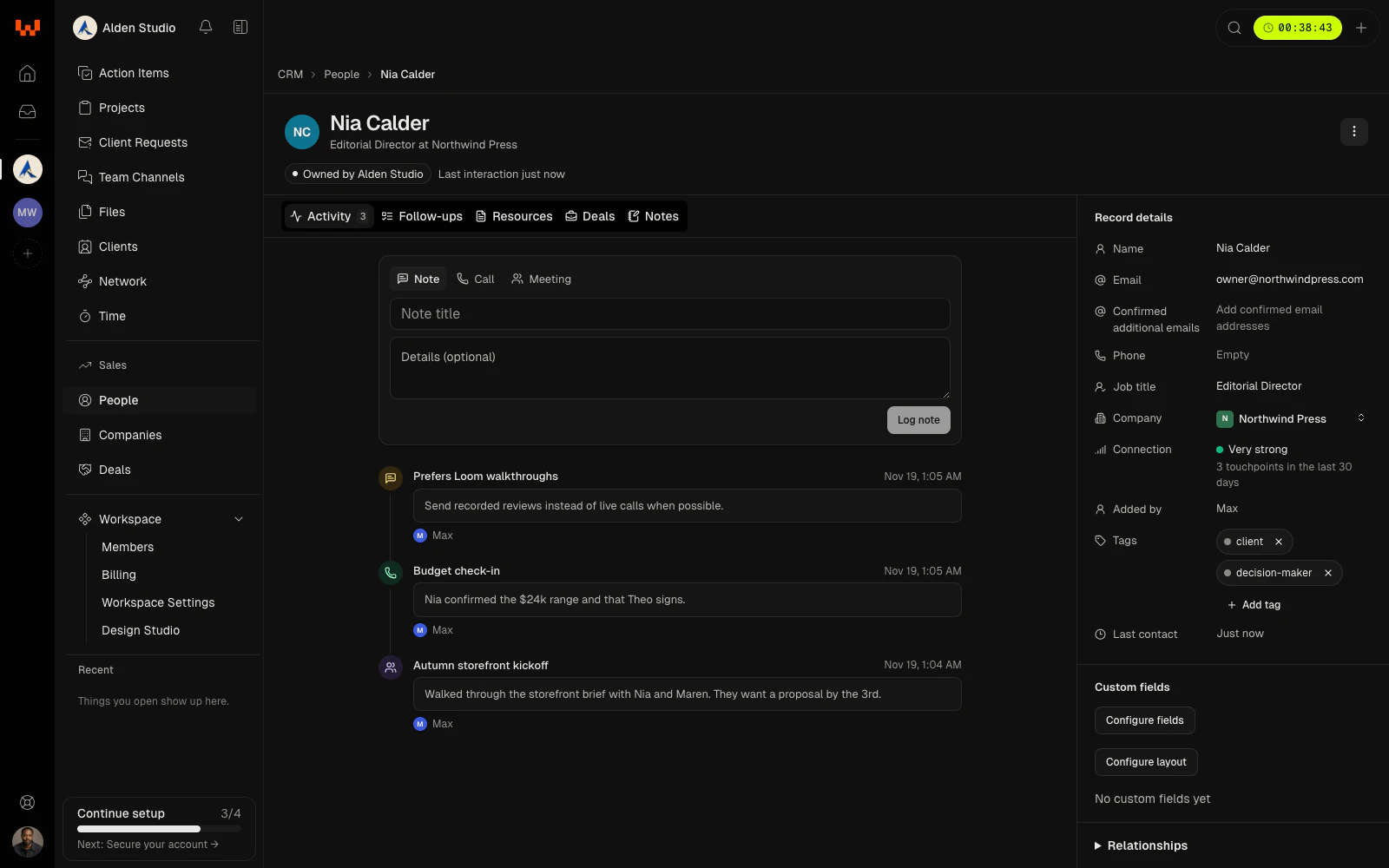
Add people and companies by hand, or bring them in from a spreadsheet. Log calls, meetings, emails, and notes on the record, and Watson keeps track of when you last talked.
- Import a CSV and review every row before it lands.
- Connection strength comes from what you've logged.
- Find duplicates and merge them, keeping the fields you choose.
Pursue. Move every deal from first call to signed.
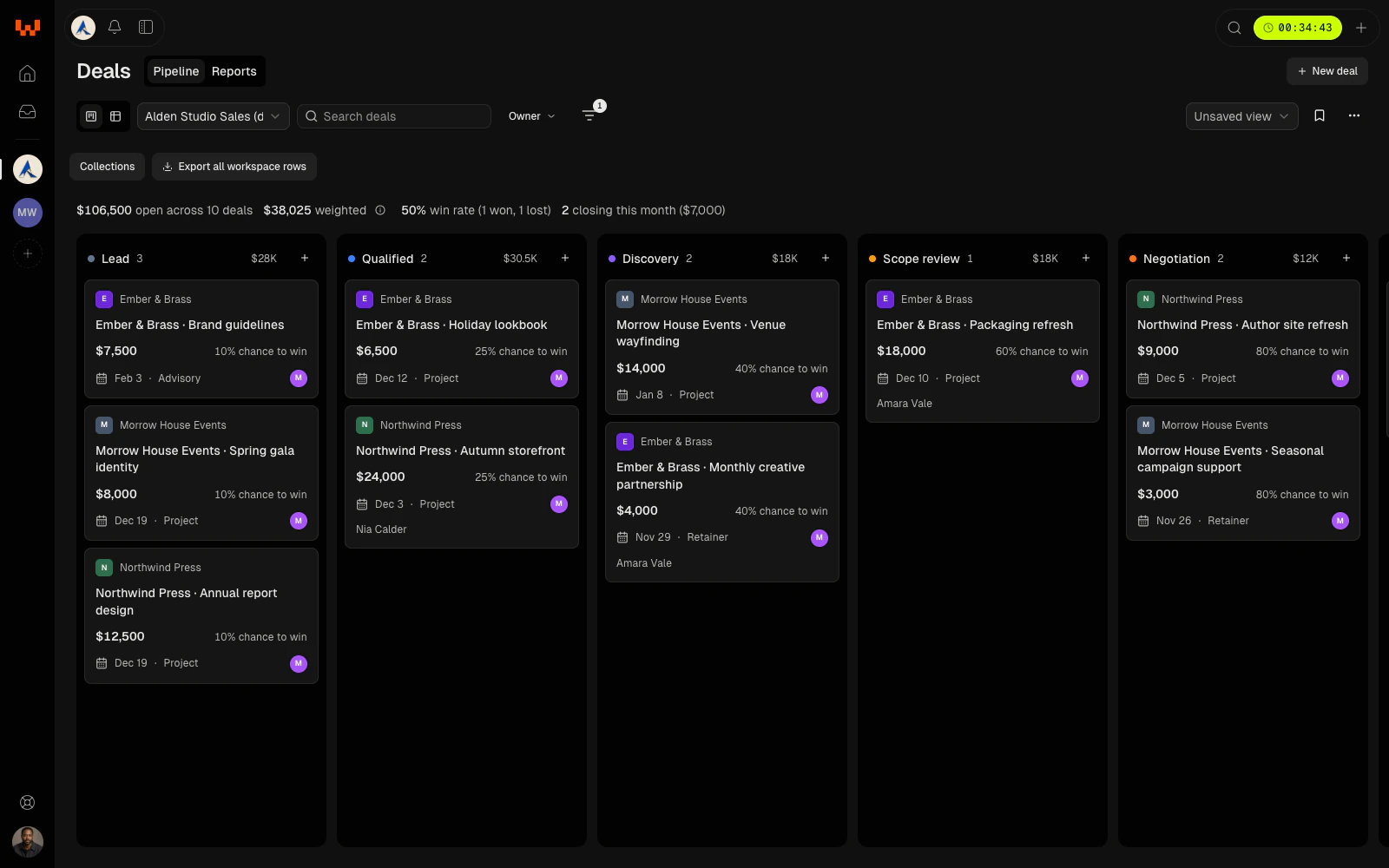
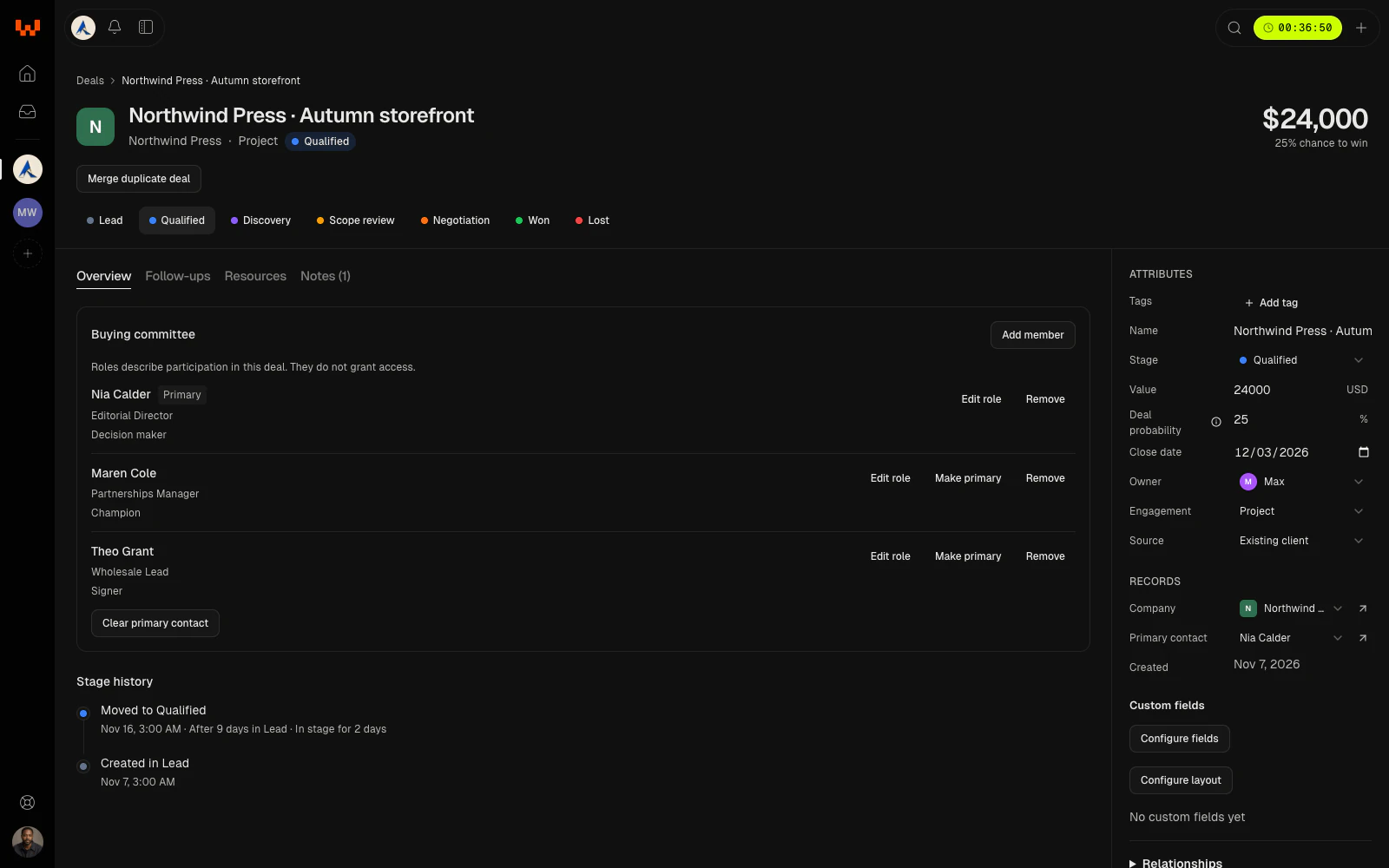
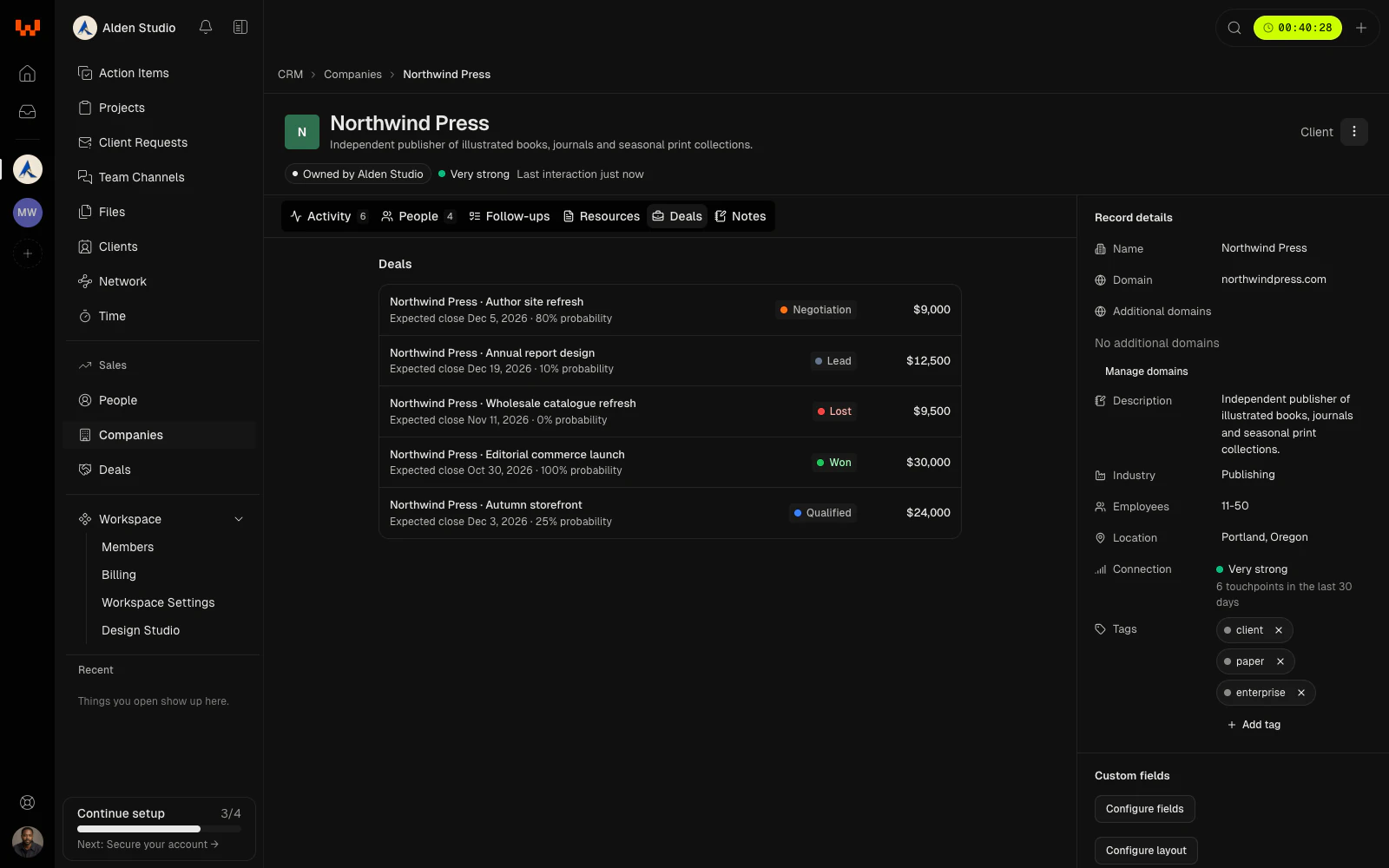
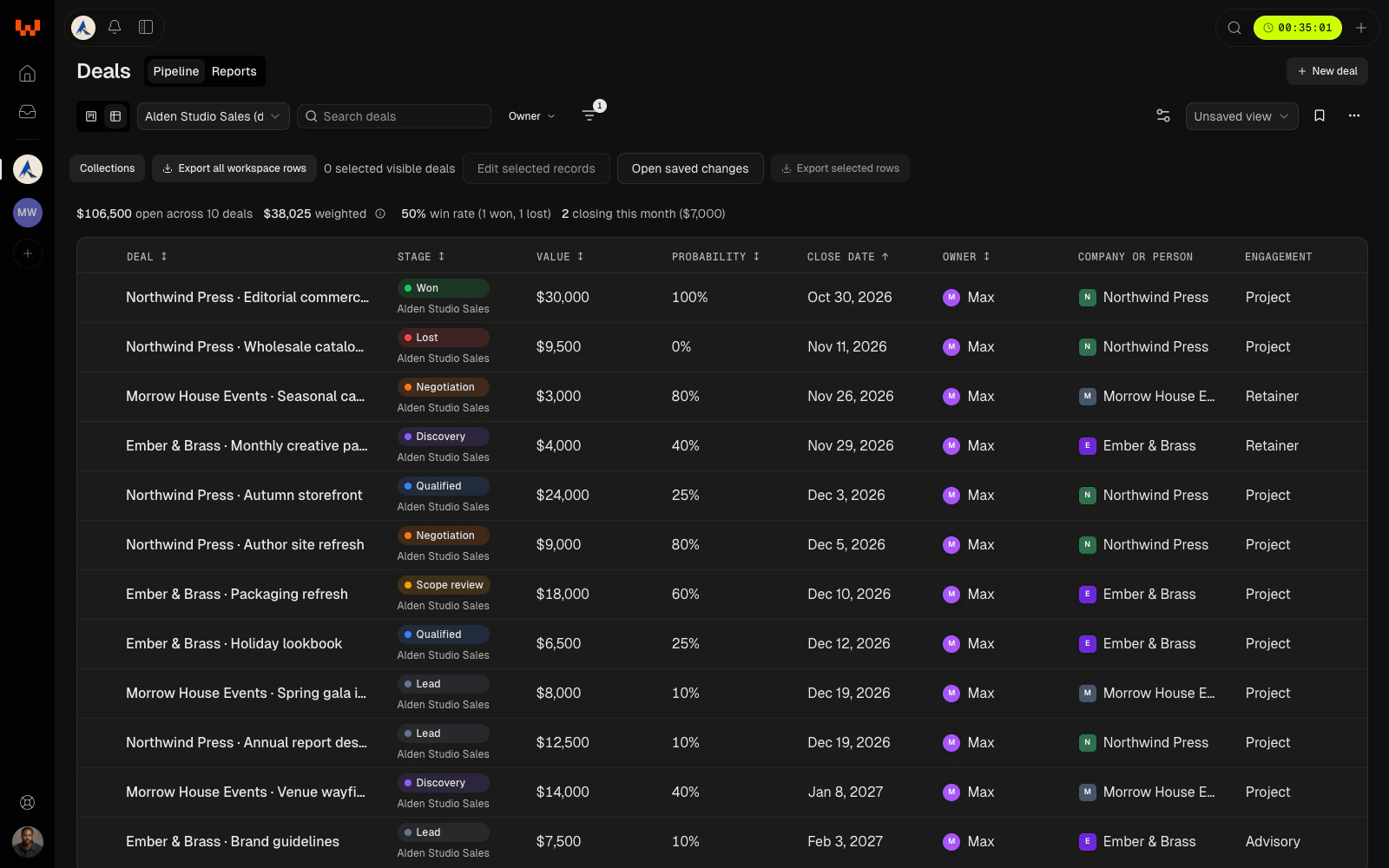
Drag a deal across your stages on the board, or edit it in place in the table. Each one carries its value, chance to win, close date, owner, and the people deciding on it.
- Start with a suggested pipeline, or build your own stages.
- Record who signs, who champions, and who's in the way.
- Every stage move stays in the deal's history.
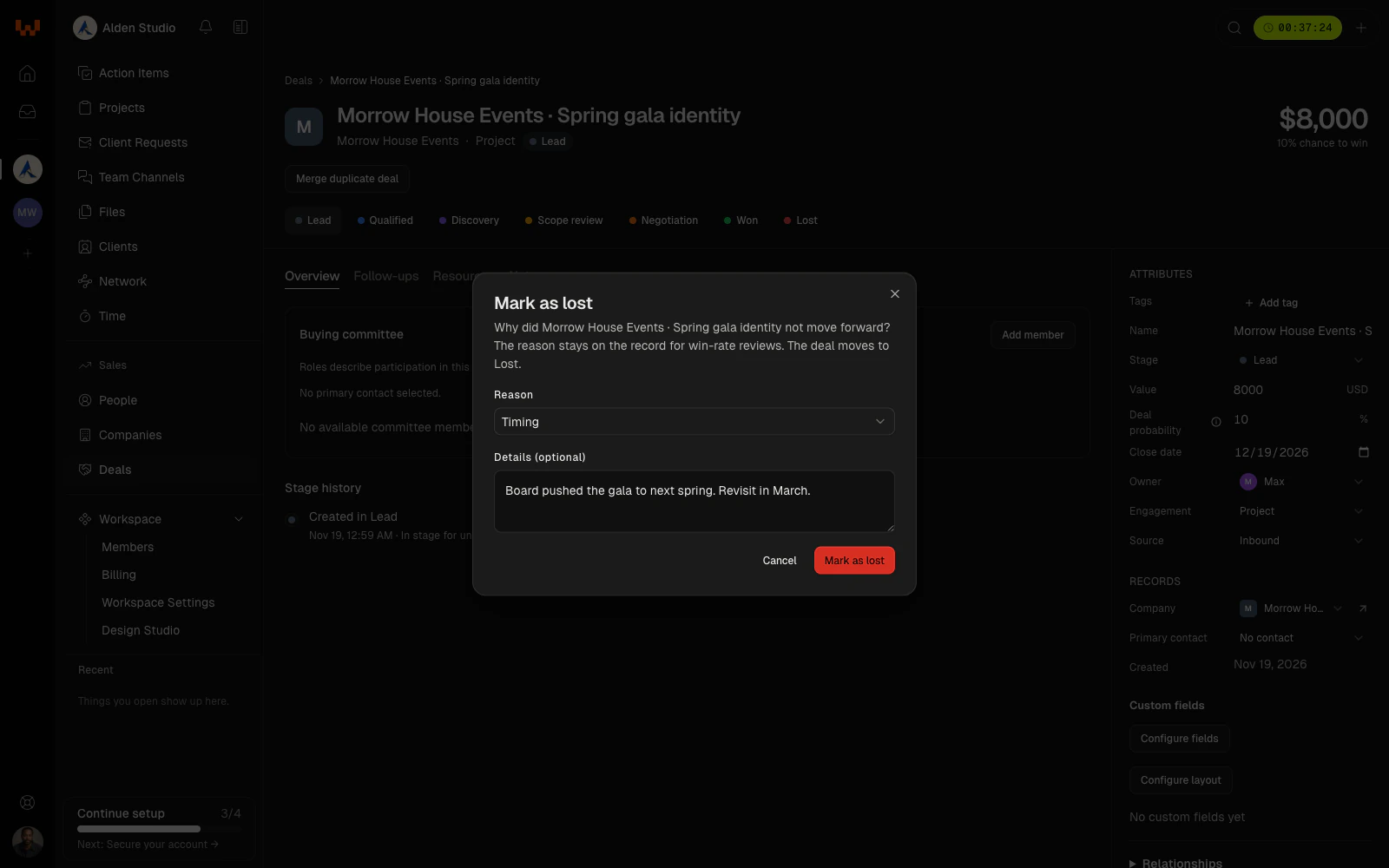
Close. Mark it won or lost, and learn from both.
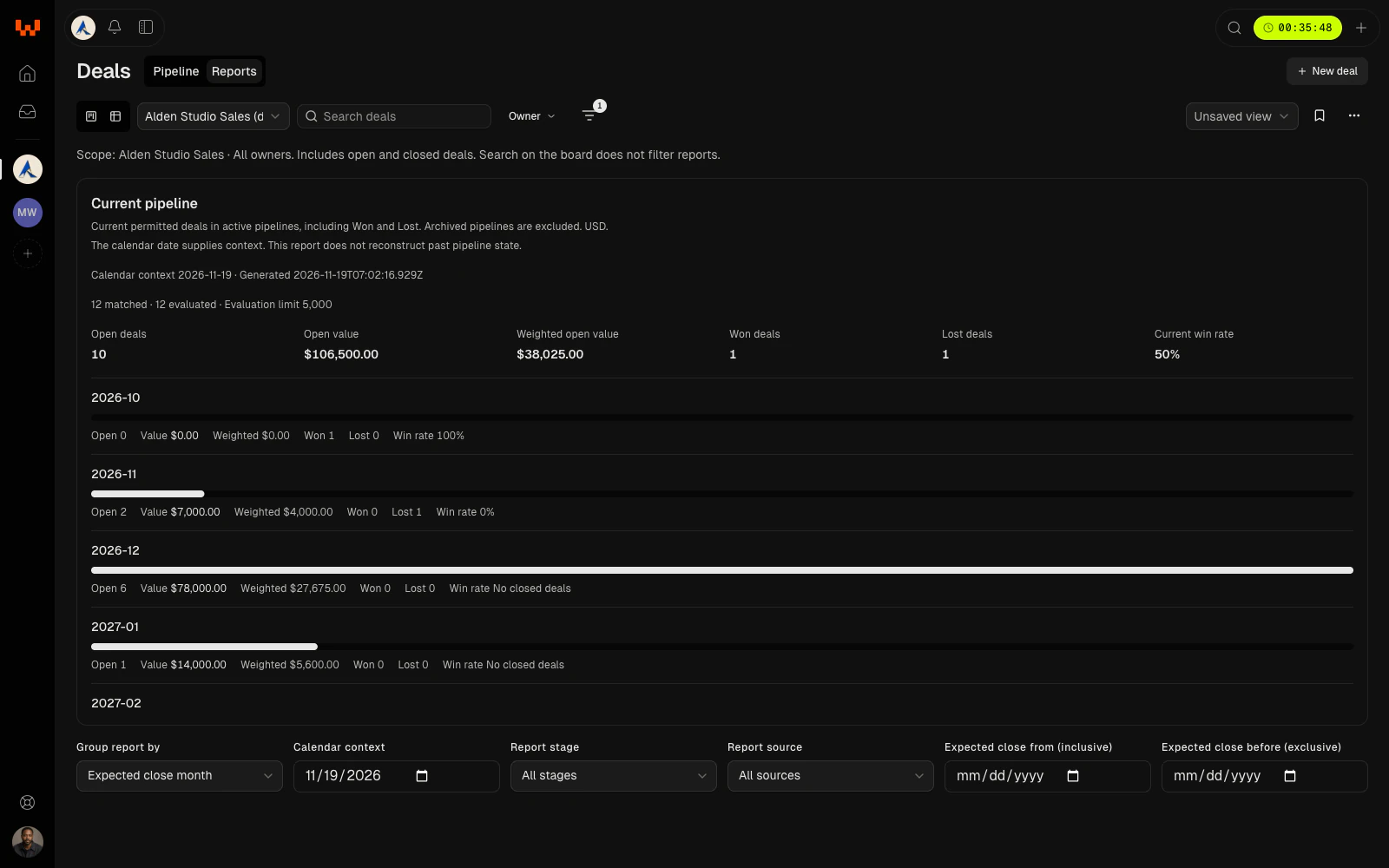
Close a deal as won, or as lost with a reason. Reports show open, weighted, and won value and your win rate, by stage, owner, or close month.
- Lost reasons stay in the history, even if the deal comes back.
- Reopen a closed deal when the client returns.
- Weighted value is a forecast, never booked revenue.
Everything in CRM and Deals
Who it’s for
Solo designers
Every inquiry becomes a deal, so nothing sits in your inbox until it's too late.
Studios
One pipeline the whole team can see, with an owner on every deal.
Consultants
Know who's deciding on every engagement, not just who sent the first email.
Agencies
Weighted value by close month, so hiring and capacity calls start with numbers.
Questions & Answers
Is CRM included in my plan?
Yes. Community includes CRM and Deals with one pipeline. Studio has unlimited pipelines.
Can I import my contacts?
Yes. Import people and companies from a CSV: map the columns, review each row, then create or update. Deals don't import yet.
Can I export my data?
Yes. People, companies, and deals export to CSV: the rows you've filtered, the ones you selected, or everything.
Can I change the stages?
Yes. Add, rename, reorder, recolor, and archive stages, and give each a default chance to win. A stage with deals in it can't be removed until they move.
What does weighted value mean?
Each open deal's value times its chance to win, added up. It's a forecast estimate, not booked revenue.
What is the buying committee?
The people on the client side who decide on a deal, with a role for each: signer, champion, decision maker, evaluator, procurement, influencer, or blocker. One of them is the primary contact.
Does winning a deal create a project?
Not yet. Winning a deal records the win and keeps its history. Turning a won deal into a project isn't available in the beta.
Does it sync with Gmail or Google Calendar?
Not in the beta. Log calls, meetings, and emails on a person or company by hand. Email is coming to the Studio plan.
Can I merge duplicates?
Yes. Review likely duplicate people and merge them, merge two companies, or merge two deals for the same company. You choose which fields survive.
Can I add my own fields?
Yes. Text, number, yes or no, date, and select fields on people, companies, and deals. Admins set them up.
What currency are deals in?
US dollars, for now.
Who on my team can see deals?
The Owner of the workspace sees and manages everything. Teammates see CRM and Deals through the role you give them, read-only or able to edit.
Do clients see any of this?
No. Nothing from CRM or Deals appears in the client portal.
Can I use it today?
Yes. CRM and Deals are included in Community and Studio.
Deals sit on the same companies and people you already work with in Watson.